Talk to Task
Your To-Do List Just Got Easier.
Have something you need to remember? Just say it. TransactTHAT turns your spoken instructions into organized tasks so you can spend less time typing and more time helping clients. Available on the website in supported browsers with microphone permission; typing tasks remains available in the iPhone and Android apps.
No credit card required.
"Remind me to follow up with the lender tomorrow."
Review your task
Check what we heard, adjust anything, then save.
Task
Follow up with the lender
Due date
Tomorrow
Transaction
No transaction (general task)
Say It. Save It. Get It Done.
- 1
Say it
Tap Dictate task and say something like "Remind me to follow up with the lender tomorrow."
- 2
Check it
TransactTHAT drafts the task title, due date and matching transaction. Edit anything.
- 3
Save it
Confirm and the task joins your list — nothing is saved until you do.
Voice-created tasks
Speak naturally instead of typing on a small screen.
Natural-language dates
Say "tomorrow" or "next Friday" and get a real due date to confirm.
Transaction or general
Link a task to the right deal, or keep it as a general to-do.
One task list
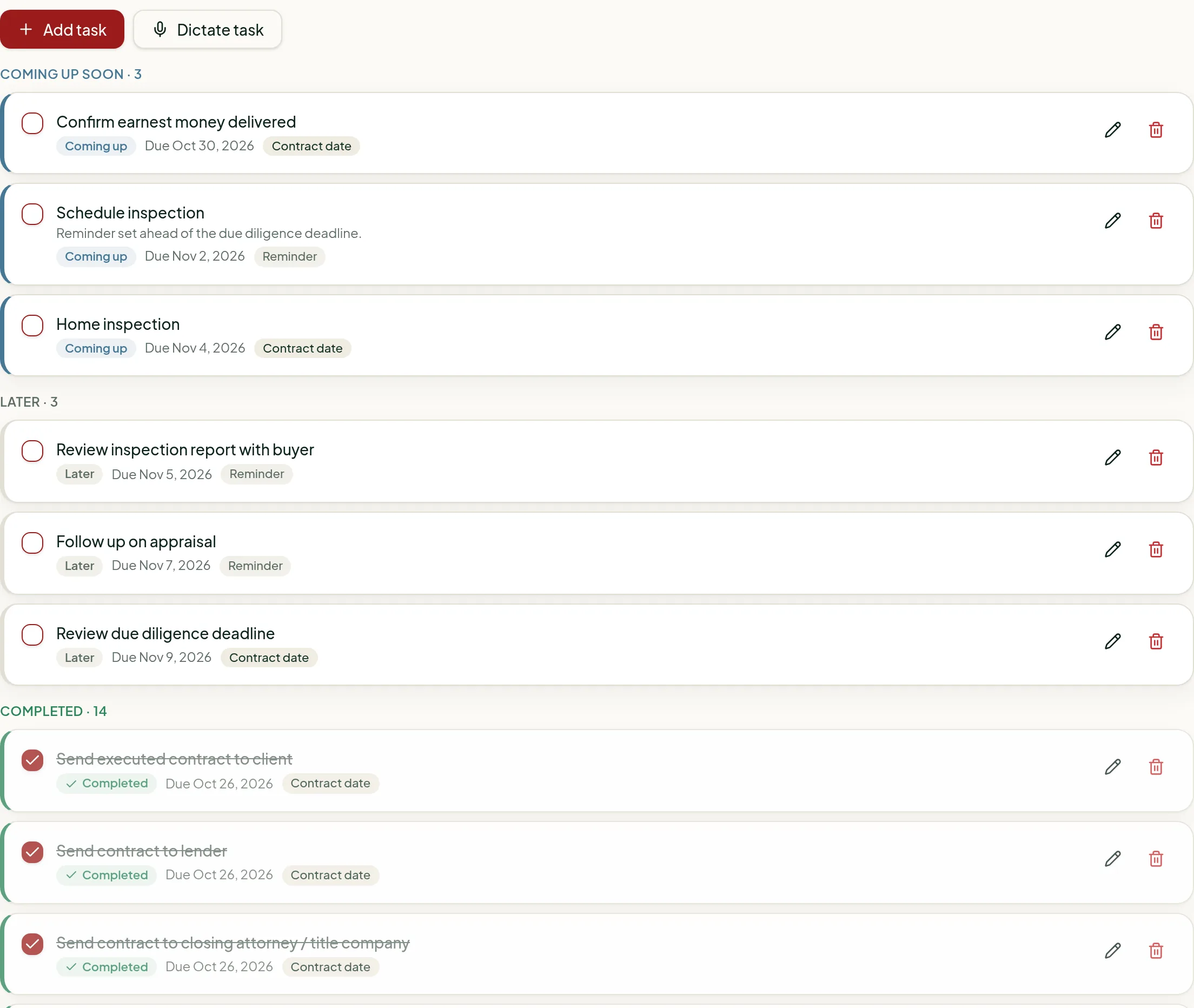
Voice tasks appear with your checklists and in the Today view.
Where it works today
- On the TransactTHAT website in supported desktop and mobile browsers, with microphone permission.
- In the iPhone and Android apps, dictation isn't available yet — typing tasks works as usual.
Talk to Task questions
- How does Talk to Task work?
- Tap Dictate task and say what you need to do, like "Remind me to follow up with the lender tomorrow." TransactTHAT turns it into a task with a title and due date, shows it to you to review and edit, and saves it only when you confirm.
- Can a voice task be linked to a transaction?
- Yes. Mention the property and TransactTHAT suggests the matching transaction for you to confirm, or keep it as a general task that isn't tied to any deal.
- Does Talk to Task work in the iPhone and Android apps?
- Voice tasks currently work on the TransactTHAT website in supported browsers. Dictation is not yet available inside the iPhone and Android apps, where you can type tasks as usual.
Related: AI Contract Reader · Real estate task management software · Transaction checklist software
Stop typing. Start talking.
Try Talk to Task free for 30 days — no credit card required.
Start My 30-Day FREE TrialNo credit card required · 1 trial transaction · Cancel anytime